Passport photo background change
Change the background of a passport-size photo online for free, then choose your document size and download it. For US passports, use an original, unedited photo taken against a white or off-white backdrop.
51 x 51 mm, head 25–35 mm, white background
Drag & drop your selfie
JPG or PNG — processed securely, never stored
demo-photo-1.jpg
Live preview demo photo
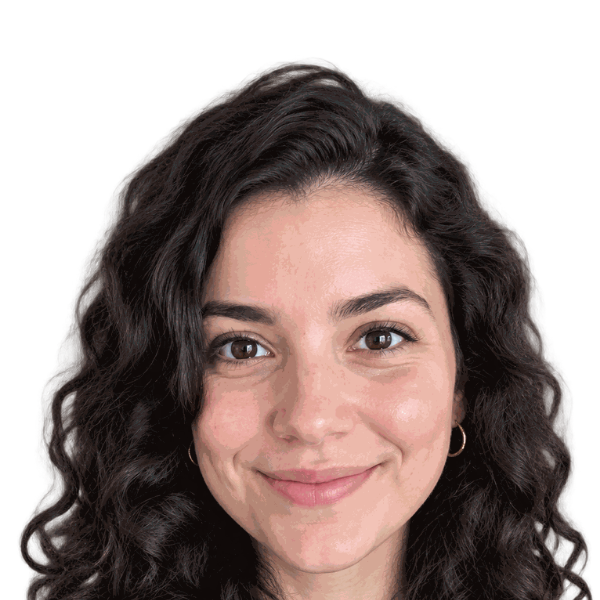
- Subject positioned in the preview
- Selected plain background applied
- AI outfit editing included; check document rules
- Cropped to the selected dimensions
- Review lighting, shadows, and hair edges
Free ZIP: white + light-blue backgrounds, PNG + JPG, 300 DPI print quality. No sign-up, no watermark.
Pro extras
Print-quality 300 DPI files, every country size, and priority processing.
Sign in & unlock — 10 photos for $7How to change your background in 3 steps
- Upload a clear photo with your face fully visible. A phone photo works if it is sharp and evenly lit.
- Choose a plain background and the document size. Review hair edges and the crop in the preview.
- Download PNG and JPG files. Check the issuing authority’s editing, file size, and background rules before submission.
Why a plain background matters
A busy backdrop, uneven lighting, and shadows behind the head can make a photo unsuitable. A plain background keeps your face easy to see, but the right color alone does not make a photo acceptable.
US passport photos need a plain white or off-white background with no shadows, textures, or objects. The Department of State also says not to digitally edit photos. This editor is not an official acceptance checker.
White versus other background colors
| Color | When to choose it |
|---|---|
| White or off-white | Required backdrop colors for US passports. Use an original photo. |
| Light gray | Only if your country or issuing authority allows it. |
| Light blue or blue | Only for a document or badge that specifically requests it. |
| Custom shade | Match the written specification, not personal preference. |
Compare white backgrounds, blue backgrounds, and the full color picker.
Resize and change the background together
Use the document menu for a 2x2 inch US photo or a 35x45 mm format used by several other documents. Size and background are separate requirements. Check head position and the official rules for your country.
The free download includes PNG and JPG images. A printable 4x6 sheet is available through paid export options, not the free ZIP. For a digital photo upload, check the application’s pixel dimensions, file format, and file-size limit.
AI background removal and hair edges
The passport photo background remover separates the subject before a new plain color is added. Fine hair, glasses, and pale clothing can be difficult to separate. Inspect the preview for missing strands, halos, and leftover background.
Start with a sharp photo and even lighting. AI processing can also edit clothing and appearance, so do not use the edited result where original, unaltered photos are required.
Online software, no installation
SnapPass AI is passport photo background change software that runs in your browser. There is no desktop download. You can change the background and make a passport-size photo from the same screen on a computer or phone.
Check your document requirements
Check the official rules for your country before submission. Read our US passport photo requirements, UK passport photo guide, and visa photo guidance for related sizes and background information.
Background change FAQ
- Is passport photo background change free?
- Yes. Try the tool and download the basic PNG and JPG ZIP without signing up or adding a watermark. Extra export options are paid.
- Can I change my passport photo background to white?
- The editor can create a white backdrop. For a US passport, take an original photo against a real white or off-white background instead of digitally replacing it.
- Will an edited background be accepted?
- Acceptance is not guaranteed. The US Department of State asks for an original, unedited photo and says not to change it with software, filters, or AI. Take a new photo against a real white or off-white background for a US passport. Other documents have their own rules.
- Can I use a phone photo?
- Yes. Use a clear, full-resolution photo taken at eye level by someone else or with a timer. Avoid portrait blur and beauty filters.
- Can I resize and change the background together?
- Yes. Choose a background and a document preset, including 2x2 inches or 35x45 mm. Review the result against the official specification.
- Do I need to download an app?
- No. The editor works in a desktop or phone browser.
- Does the tool remove shadows from my face?
- A new backdrop does not fix poor lighting on your face. Retake the photo with even lighting if facial shadows or glare obscure details.