Free · No watermark · No sign-up
AI Passport Photo Maker & Editor — from your random images
Turn any random image into a passport photo. SnapPass AI edits it for you — crops it, centres your face, applies a compliant white or light-blue background and formal attire, and exports it at the exact size your passport or visa application requires.
Head 29–34 mm, light grey or cream background
Drag & drop your selfie
JPG or PNG — processed securely, never stored
demo-photo-1.jpg
Live preview demo photo
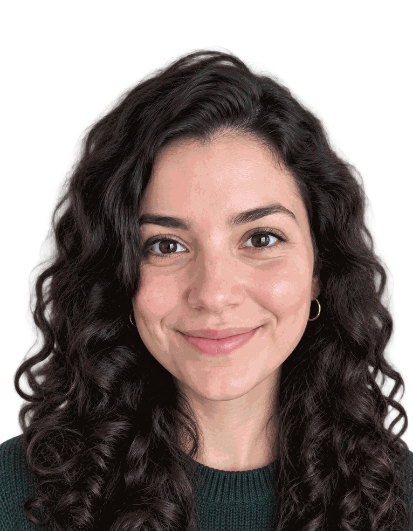
- Face detected, centred and correctly scaled
- Background replaced with a compliant plain colour
- Professional passport-ready outfit applied
- Cropped to the exact required dimensions
- Even lighting — no harsh shadows behind the head
Free ZIP: white + light-blue backgrounds, PNG + JPG, 300 DPI print quality. No sign-up, no watermark.
Pro extras
Print-quality 300 DPI files, every country size, and priority processing.
Sign in & unlock — 10 photos for $7Ready in seconds
Auto crop, centre and background replacement.
Private by design
Photos are never stored after processing.
Official sizes
7 country presets at 300 DPI print quality.
How to make a passport photo online
- Take a selfie facing a window, against a plain wall, with a neutral expression.
- Choose your country and document type from the picker.
- Upload the photo — the face is detected, cropped and centred automatically.
- Check the compliance list, then download your PNG or JPG for free.
Supported passport and visa sizes
| Document | Size | Notes |
|---|---|---|
| US Passport | 50.8 × 50.8 mm | 51 x 51 mm, head 25–35 mm, white background |
| UK Passport / Visa | 35 × 45 mm | Head 29–34 mm, light grey or cream background |
| Schengen / EU | 35 × 45 mm | Head 32–36 mm, light plain background |
| Canada Passport | 50 × 70 mm | Head 31–36 mm, plain white background |
| India Passport | 35 × 45 mm | Head centred, plain white background |
| Australia Passport | 35 × 45 mm | Head 32–36 mm, plain light background |
| China Visa | 33 × 48 mm | Head 28–33 mm, plain white background |
What makes a passport photo compliant
Passport authorities check four things above all: the printed dimensions, the height of your head within the frame, a plain and evenly lit background, and a neutral, unobscured face. SnapPass AI handles the first three. The fourth is down to how you take the photo — mouth closed, eyes open, no hat, no glare, and taken within the last six months.
Read more in our passport photo guides, or jump to the US requirements and UK requirements. Applying for a child? Use the baby passport photo guide.
Frequently asked questions
- Can I use AI for my passport photo?
- Yes. Governments care about the finished photo, not the software used to crop it. AI tools are allowed to resize, centre and replace a plain background, because none of that changes your appearance. What is not allowed is retouching your face — smoothing skin, reshaping features or applying beauty filters — which can be treated as tampering and get the application rejected.
- Is this free?
- Completely. SnapPass AI is free to use with unlimited photos, no account and no watermark on the download. Your photo is sent over an encrypted connection to our AI processor, used only to produce your passport photo, and never stored or shared.
- What size does a passport photo need to be?
- It depends on the country. A US passport photo is 2 x 2 inches (51 x 51 mm) with a head height of 25–35 mm. The UK, Schengen, India and Australia all use 35 x 45 mm, Canada uses 50 x 70 mm, and a Chinese visa photo is 33 x 48 mm. Choose your document in the picker above and the correct size is applied automatically at 300 DPI.
- Does this meet ICAO / government requirements?
- The output is generated to the published ICAO 9303 dimensions and head-position ratios used by passport authorities, and exported at print resolution on a plain compliant background. The parts that depend on you — a neutral expression, even lighting, no glasses glare, a photo taken in the last six months — still need to be right in the photo you upload. Always check the current guidance from your issuing authority before submitting.
Latest guides
- Passport Photo Requirements by Country (2026 Guide)
Passport photo sizes, head heights and background rules for the US, UK, Schengen, Canada, India, Australia and China visas — updated for 2026.
- Can AI Really Make a Compliant Passport Photo?
An honest look at what AI passport photo tools can and cannot do, which government rules they satisfy, and where a human still has to check the result.
- Passport Photo Rejected? Here's Why (and How to Fix It)
The most common reasons passport and visa photos are rejected — shadows, wrong size, glasses, expression — and exactly how to fix each one.