Passport size photo background and dress change
Upload a photo to apply AI formal attire and a plain background in the same workflow. US passport rules prohibit digital alterations, so use outfit edits only for IDs, visas, or profiles whose rules permit them.
51 x 51 mm, head 25–35 mm, white background
Drag & drop your selfie
JPG or PNG — processed securely, never stored
demo-photo-1.jpg
Live preview demo photo
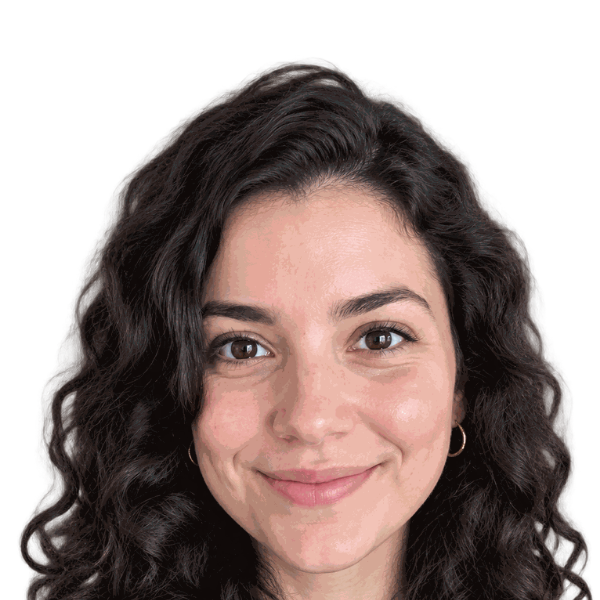
- Subject positioned in the preview
- Selected plain background applied
- AI outfit editing included; check document rules
- Cropped to the selected dimensions
- Review lighting, shadows, and hair edges
Free ZIP: white + light-blue backgrounds, PNG + JPG, 300 DPI print quality. No sign-up, no watermark.
Pro extras
Print-quality 300 DPI files, every country size, and priority processing.
Sign in & unlock — 10 photos for $7What the existing outfit feature does
Real uploads pass through AI editing that requests neat formal business attire, such as a dark suit jacket with a light collared shirt or a blazer with a plain light top. Background removal and your selected backdrop follow in the same workflow.
There is no separate suit, blazer, or shirt selector. The AI chooses the result from the current instructions; a particular garment or fit is not guaranteed. Switching colors after processing does not repeat the outfit edit.
Change background and clothing together
- Upload a clear photo with your head and shoulders visible for a use that allows appearance edits.
- Choose your background and document size. Wait for the real-upload AI workflow to finish; the demo does not make a new outfit request.
- Inspect face identity, collar, shoulders, hair, and lighting. Do not use an output that changes facial details or has clothing artifacts.
- Download PNG and JPG. Confirm that the destination allows altered clothing and backgrounds before uploading or printing.
Where an outfit edit may be appropriate
| Use | What to check |
|---|---|
| US passport | Do not digitally change clothing, face, or backdrop. Submit an original photo. |
| Visa or identity document | Check the exact official editing and dress rules first. |
| School or work badge | Ask the issuer whether edited clothing is permitted. |
| Professional profile | Review identity and natural appearance; follow platform rules. |
Formal dress is not a passport requirement
A digital suit does not make a photo compliant. For US passport photos, wear normal everyday clothing in the original photograph, follow clothing restrictions, and avoid uniforms except for permitted religious attire.
Retake the photo in the clothing you want when your document requires an unaltered image. Check for natural necklines and avoid logos or patterns that distract from the face.
Check your document requirements
Check the official rules for your country before submission. Read our US passport photo requirements, UK passport photo guide, and visa photo guidance for related sizes and background information.
Background and dress change FAQ
- Can I change background and dress in one go?
- The existing real-upload AI workflow includes formal-attire editing and background removal. Choose your backdrop and size in the same tool.
- Can I choose a suit, blazer, or shirt separately?
- Not currently. The workflow requests formal business attire automatically. It does not offer a garment selector or guarantee a specific outfit.
- Can I use an AI suit for a US passport?
- No. US passport photos must be original and unedited. Take a new photo wearing your actual everyday clothing.
- Does a background-color change redo the clothing?
- No. After processing, colors are composited locally around the same subject cutout.
- What should I check in the output?
- Inspect facial identity, collar and shoulder shape, lighting, and hair edges. Reject unnatural artifacts and check whether the intended use permits editing.
- Will an edited background be accepted?
- Acceptance is not guaranteed. The US Department of State asks for an original, unedited photo and says not to change it with software, filters, or AI. Take a new photo against a real white or off-white background for a US passport. Other documents have their own rules.