Cutout Pro passport photo background change alternative
If you use Cutout.Pro for passport photo background change, SnapPass AI offers a browser workflow with background colors, size presets, and basic JPG/PNG downloads. Check the issuer’s rules before using any edited photo.
51 x 51 mm, head 25–35 mm, white background
Drag & drop your selfie
JPG or PNG — processed securely, never stored
demo-photo-1.jpg
Live preview demo photo
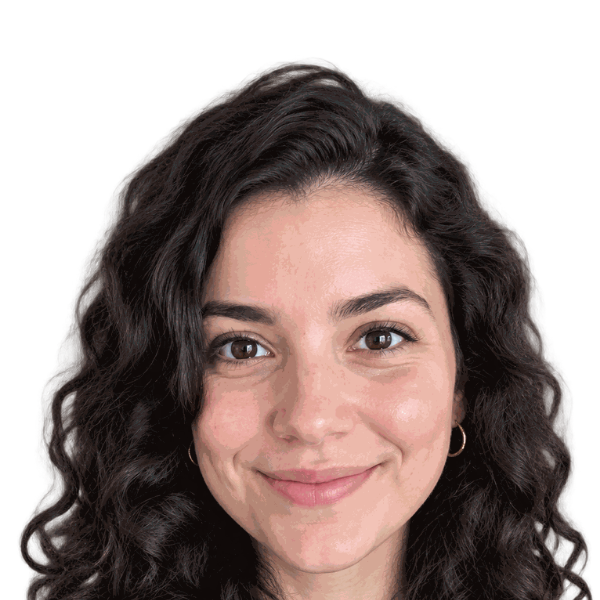
- Subject positioned in the preview
- Selected plain background applied
- AI outfit editing included; check document rules
- Cropped to the selected dimensions
- Review lighting, shadows, and hair edges
Free ZIP: white + light-blue backgrounds, PNG + JPG, 300 DPI print quality. No sign-up, no watermark.
Pro extras
Print-quality 300 DPI files, every country size, and priority processing.
Sign in & unlock — 10 photos for $7What Cutout.Pro advertises
Cutout.Pro’s public Passport Photo Maker describes background removal, white background replacement, cropping and centering, country-specific sizing, suit changes, print-sheet layouts, and PNG/JPG export. These are the vendor’s feature descriptions, not proof of government acceptance.
Its page offers a free preview. Download charges and credit terms are separate, so check its current pricing before exporting. We do not claim its full-resolution passport exports are free.
Source: Cutout.Pro Passport Photo Maker.
Compare the published features
| Feature | Cutout.Pro public page | SnapPass AI |
|---|---|---|
| Background | Advertises removal and white replacement. | Named colors and custom hex after subject removal. |
| Size and framing | Advertises country sizes, crop, and centering. | Document presets and positioned preview. |
| Outfit editing | Advertises suit changes. | Existing AI formal-attire editing during real uploads. |
| Image formats | Advertises PNG and JPG. | Basic free ZIP includes PNG and JPG. |
| Print layouts | Advertises print-sheet arrangements. | Printable 4x6 sheets through paid export options. |
| Free access | Free preview advertised; review download terms. | Basic editing and image downloads free; extra exports paid. |
| Acceptance | Check the issuing authority, not product claims. | Checklist is a review aid, not acceptance certification. |
Source: Cutout.Pro image pricing.
Try the SnapPass AI workflow
The checklist highlights positioning, background, dimensions, outfit editing, and edge review. It does not perform an official approval test. Background changes after processing are applied locally without another AI call.
- Upload a clear photo with your face fully visible. A phone photo works if it is sharp and evenly lit.
- Choose a plain background and the document size. Review hair edges and the crop in the preview.
- Download PNG and JPG files. Check the issuing authority’s editing, file size, and background rules before submission.
Choose by your document’s rules
Compare the export formats and size you actually need. Keep the original photo. For a US passport, neither an AI background replacement nor a digital suit change is appropriate: take a new unedited photo with a real white or off-white backdrop.
Check your document requirements
Check the official rules for your country before submission. Read our US passport photo requirements, UK passport photo guide, and visa photo guidance for related sizes and background information.
Cutout.Pro alternative FAQ
- Is SnapPass AI affiliated with Cutout.Pro?
- No. SnapPass AI is an independent alternative. Cutout.Pro is referenced only to identify the product being compared.
- Is Cutout.Pro passport photo export free?
- Its public page advertises a free preview. Check current pricing and download terms before assuming a full-resolution export is free.
- Does SnapPass AI change both background and size?
- Yes. Choose a background and a document preset, then inspect the preview and download the basic images.
- Which tool guarantees US passport acceptance?
- This comparison does not establish any acceptance guarantee. US rules require an original, unedited photo. Follow official requirements rather than a software checklist.
- Will an edited background be accepted?
- Acceptance is not guaranteed. The US Department of State asks for an original, unedited photo and says not to change it with software, filters, or AI. Take a new photo against a real white or off-white background for a US passport. Other documents have their own rules.